BlockBook User Guide
BlockBook is a desktop app built for Minecraft players to manage Minecraft gamer contacts, optimized for use via a Command Line Interface (CLI) while still having the benefits of a Graphical User Interface (GUI). If you can type fast, BlockBook can get your contact management tasks done faster than traditional GUI apps.
BlockBook makes it easy to manage the contacts of other gamers you meet on servers, allowing you to manage contacts through not just names, but other gaming attributes too.
Quick start
Ensure you have Java
17or above installed in your Computer.
You can check what Java version you have by opening a command terminal in the same location you put BlockBook in, and then running the commandjava -version. Mac users: Ensure you have the precise JDK version prescribed here.Download the latest
blockbook.jarfile from here.Copy the file to the folder you want to use as the home folder for BlockBook.
Double click
blockbook.jarfile to open BlockBook. Alternatively, open a command terminal in the same location you put BlockBook in, and use thejava -jar blockbook.jarcommand to run the application.
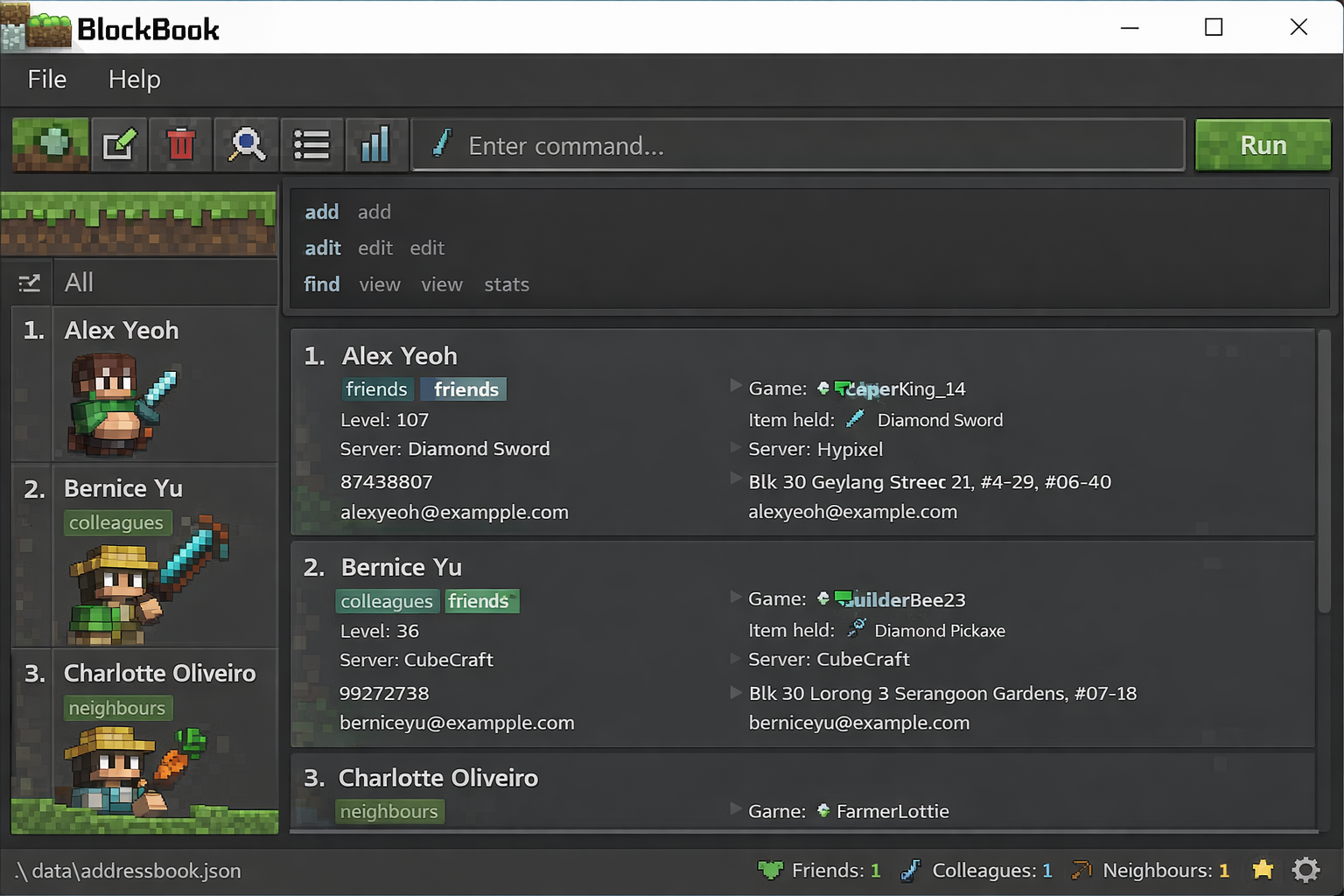
A GUI similar to the below should appear in a few seconds.
Type the command in the command box and press Enter to execute it. e.g. typing
?orhelpand pressing Enter will open the built-in help menu, where you can view all the commands available.
Some example commands you can try:list: Lists all contacts.add g/JD910 n/John Doe: Adds a contact namedJohn Doeto BlockBook with the gamertagJD910.d 3: Deletes the 3rd contact shown in the current list.dis a shortcut fordelete.clear: Deletes all contacts.exit: Exits the app.
Refer to the Features below for details of each command.
Features
Notes about the command format:
Words in
UPPER_CASEare the parameters to be supplied by the user.- e.g. in
add name/NAME,NAMEis a parameter which can be used asadd name/John Doe.
- e.g. in
Characters inside brackets
()can be typed in place of the full command or full argument prefix.- e.g.
(d)eletemeans you can type eitherdeleteord. - e.g.
(g)amertag/means you can type eithergamertag/org/. - It is okay to mix and match full and short forms of different arguments in the same command.
e.g.
add g/JD910 name/John Doeis acceptable.
- e.g.
Items in square brackets are optional.
- e.g
name/NAME [t/TAG]can be used asname/John Doe t/friendor asname/John Doe.
- e.g
Items with
…after them can be used multiple times including zero times.- e.g.
GAMER_INDEX…can be used as(i.e. left blank),1,1 2 3etc.
- e.g.
Parameters can be in any order.
e.g. if the command specifiesname/NAME gamertag/GAMERTAG,gamertag/GAMERTAG name/NAMEis also acceptable.Extraneous parameters for commands that do not take in parameters (such as
helporexit) will be ignored.
e.g. if the command specifieshelp 123, it will be interpreted ashelp.If you are using a PDF version of this document, be careful when copying and pasting commands that span multiple lines as space characters surrounding line-breaks may be omitted when copied over to the application.
Input normalization rules
For prefixed values, BlockBook may normalize user input before validation.
General rules for prefixed values:
- Leading and trailing spaces are ignored.
- If a prefix is provided, it must contain a non-empty value after trimming. Values that become empty after trimming are invalid.
Additional normalization for stored field values in commands such as
addandedit:- Length constraints are applied to the normalized value, not the raw text typed by the user.
- For
name/,phone/,country/, andgroup/, repeated internal spaces are collapsed into a single space before validation and storage. - For
name/andcountry/, capitalization is also standardized before storage. - For
note/, leading and trailing spaces are ignored, but internal spaces are not collapsed in the same way.
As a result:
- Whitespace-only inputs such as
n/are invalid. - Validation and any resulting error messages refer to the normalized value.
- For example,
p/ -is trimmed top/-, so it is treated as starting with a hyphen.
- Whitespace-only inputs such as
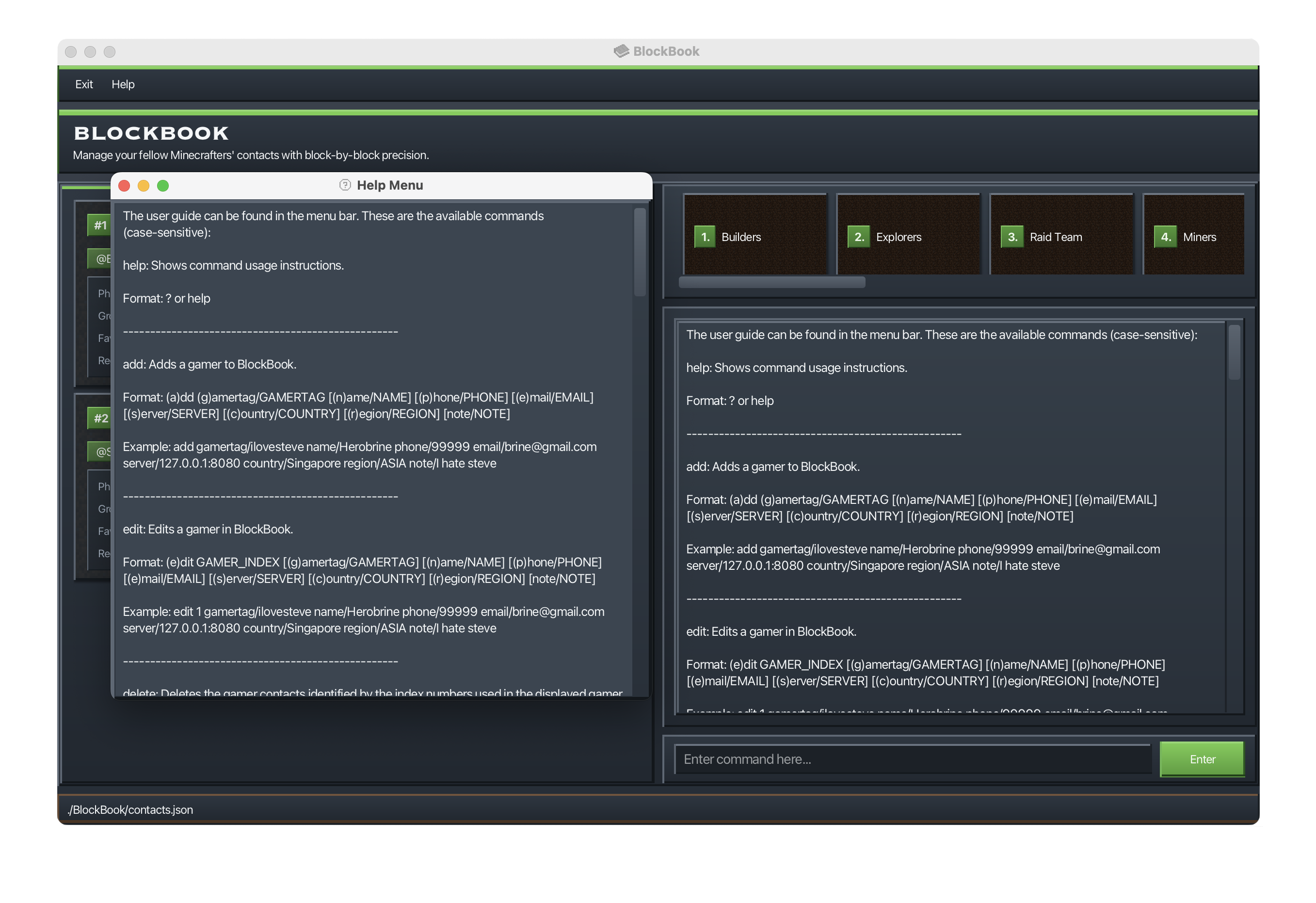
Viewing help : help
Opens a new window listing all available commands.
Format: help or ?
Adding a gamer: add
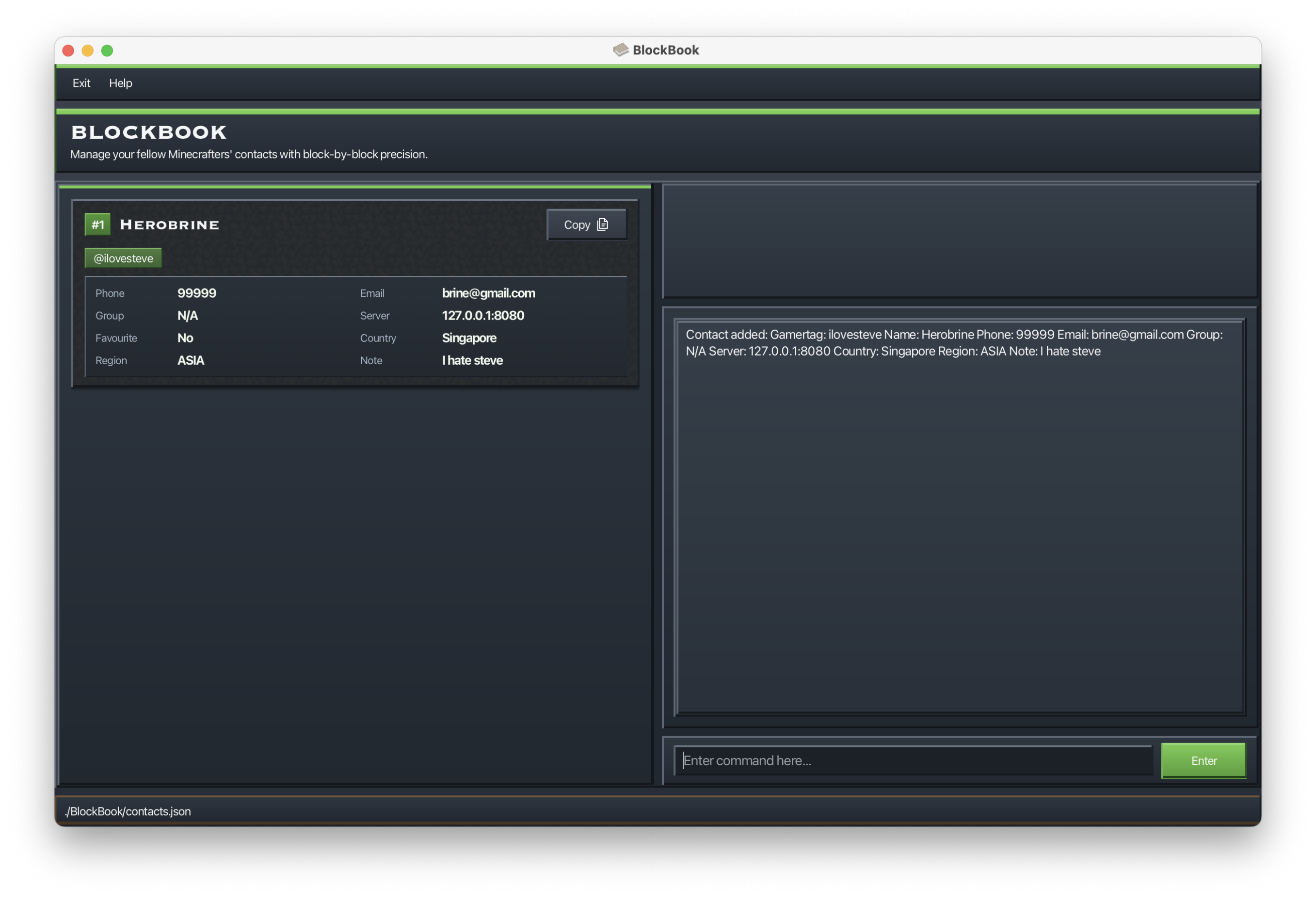
Adds a gamer to BlockBook with a required gamertag and optional details such as name, phone number, email address, server, region, country, and notes.
Format: (a)dd (g)amertag/GAMERTAG [(n)ame/NAME] [(p)hone/PHONE] [(e)mail/EMAIL] [(s)erver/SERVER] [(c)ountry/COUNTRY] [(r)egion/REGION] [note/NOTE]
Examples:
a g/ilovesteve n/Herobrine p/99999 e/brine@gmail.com s/127.0.0.1:8080 c/Singapore r/ASIA note/I hate steveadd gamertag/Notch name/Notch phone/+12345 email/notch@example.com server/mc.example.net:25565 country/Malaysia region/ASIA note/Usually plays survival
Tip: Only gamertag/ is required. All other fields are optional.
gamertag/: letters, numbers, underscores only, max 50 characters.name/: letters, spaces, hyphens, apostrophes only, max 50 characters.phone/: optional leading+, digits/spaces/hyphens, at least 3 digits, at most 15 digits, max 30 characters.email/: must be a valid email in the formatlocal-part@domain, where the domain contains at least two labels separated by periods (e.g.example.com).server/: letters, numbers,.,-,:, max 50 characters.country/: letters, spaces, hyphens only, max 50 characters.region/: acceptsNA,SA,EU,AFRICA,ASIA,OCEANIAorME.note/: letters, numbers, spaces, underscores, hyphens, apostrophes, max 50 characters.
Common errors you may encounter:
Duplicate gamertag You cannot add two gamers with the same gamertag. Gamertags are treated as case-insensitive, so
banana,Banana, andBaNaNaare all treated as the same gamertag.Missing required gamertag The
addcommand requires agamertag/org/field. Example:add n/SteveRepeated prefixes Each single-value field can only be entered once in the same
addcommand. Example:add g/Steve123 g/Alex456Invalid gamertag format Gamertags cannot contain spaces or special characters other than underscores. Example:
g/steve boy
Notes:
- Names and countries are automatically normalized by collapsing repeated spaces and standardizing capitalization.
For example,
n/jOhN doEwill be stored asJohn Doe. - Region input is case-insensitive, but will be stored and displayed in uppercase.
For example,
r/asiawill be stored asASIA. - Notes are not auto-normalized in the same way, so they are stored more closely to how you entered them.
- Newly added gamers are not favourited by default.
Listing all gamers : list
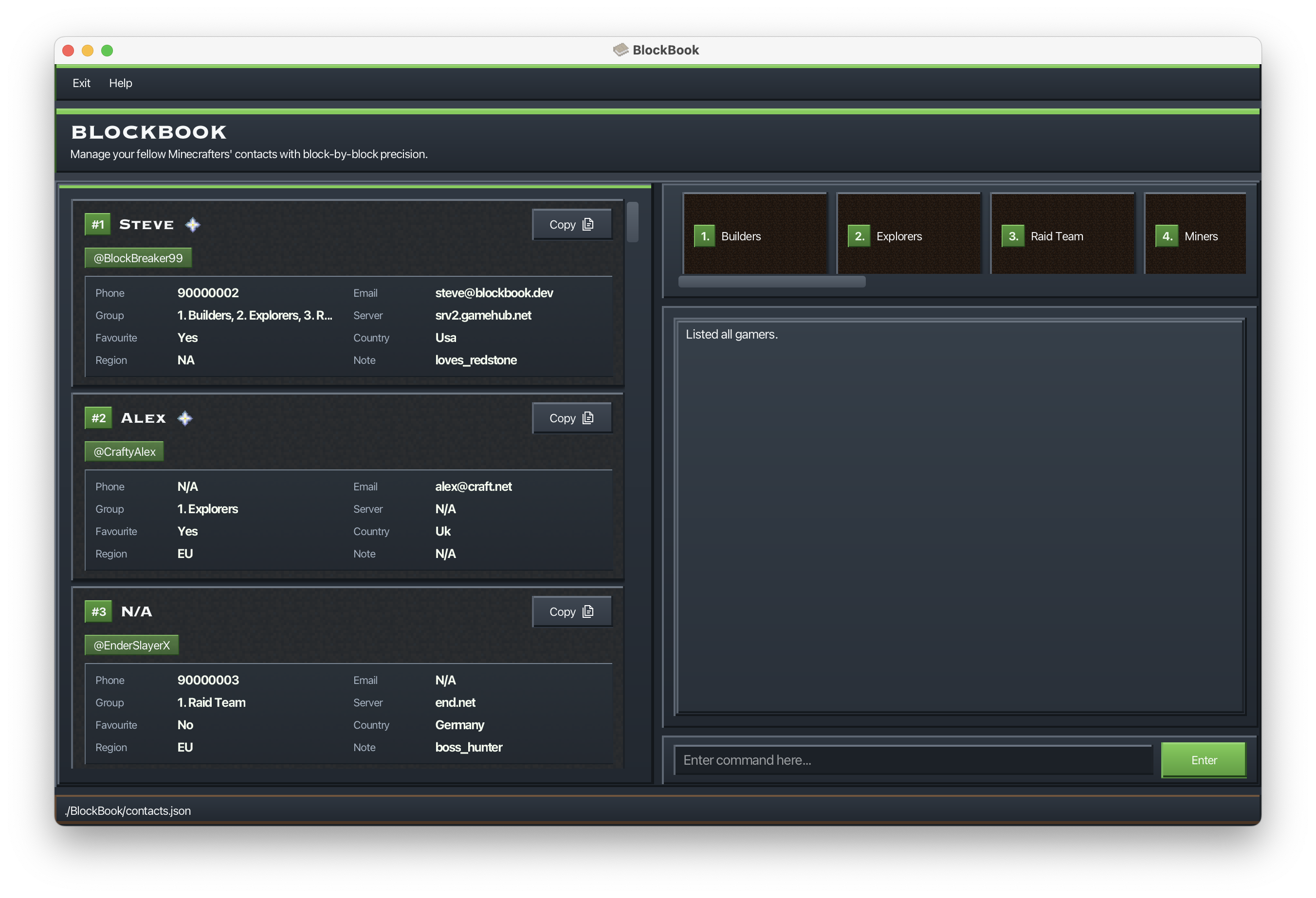
Shows a list of all gamers stored in BlockBook.
Format: (l)ist
- Clears any active filter (e.g., from
find) and any activesort, restoring original order.
Editing a gamer : edit
Edits an existing gamer stored in BlockBook.
Format: (e)dit GAMER_INDEX [(g)amertag/GAMERTAG] [(n)ame/NAME] [(p)hone/PHONE] [(e)mail/EMAIL] [(s)erver/SERVER] [(c)ountry/COUNTRY] [(r)egion/REGION] [note/NOTE]
- Edits the gamer at the specified
GAMER_INDEX. The index refers to the index number shown in the displayed gamer list. The index must be a positive integer 1, 2, 3, ... - At least one of the optional fields must be provided.
- Existing values will be updated to the input values.
Examples:
edit 1 p/91234567 e/johndoe@example.come 2 n/Betsy Crower r/ASIAedit 3 g/new_tag s/mc.example.com:25565 c/Singapore note/Alt account
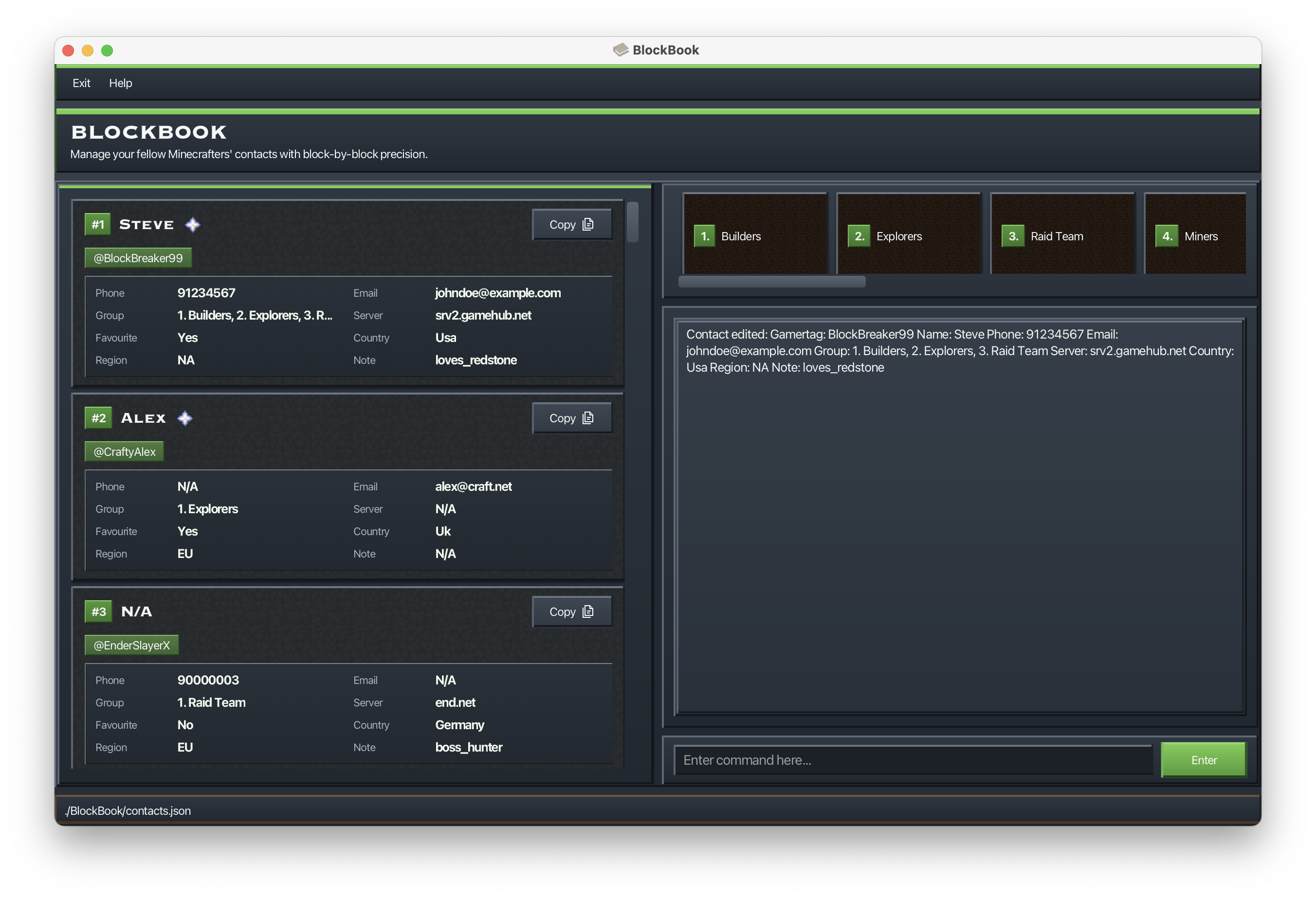
Tip: The index refers to the number shown in the current displayed list (after any find, sort or list).
gamertag/: letters, numbers, underscores only, max 50 characters.name/: letters, spaces, hyphens, apostrophes only, max 50 characters.phone/: optional leading+, digits/spaces/hyphens, at least 3 digits, at most 15 digits, max 30 characters.email/: must be a valid email in the formatlocal-part@domain, where the domain contains at least two labels separated by periods (e.g.example.com).server/: letters, numbers,.,-,:, max 50 characters.country/: letters, spaces, hyphens only, max 50 characters.region/: acceptsNA,SA,EU,AFRICA,ASIA,OCEANIAorME.note/: letters, numbers, spaces, underscores, hyphens, apostrophes, max 50 characters.
Common errors you may encounter:
Invalid index The index must be a positive integer within the displayed list. Examples:
edit 0 n/Alex,edit -1 n/Alex,edit 999 n/AlexNo fields provided At least one field must be specified after the index. Example:
edit 1Repeated prefixes Each single-value field can only be entered once in the same
editcommand. Example:edit 1 n/Alex n/BobDuplicate gamertag You cannot change a gamertag to one that already exists. Example:
edit 1 g/amy_tag(if another gamer already hasamy_tag)Invalid field values Input must follow the constraints above (e.g., invalid email, region, or server).
Notes:
- Names and countries are automatically normalized by collapsing repeated spaces and standardizing capitalization.
- Region input is case-insensitive, but will be stored and displayed in uppercase.
- Notes are stored as entered (no auto-normalization).
- Favourite status cannot be changed using
edit. Usefavouriteorunfavouriteinstead.
Editing a gamer's favourite status : favourite, unfavourite
Updates a gamer's favourite status via index.
Format: (fav)ourite GAMER_INDEX or (unfav)ourite GAMER_INDEX
- Updates the favourite status of the gamer at the specified
GAMER_INDEX. The index refers to the index number shown in the current displayed list (after anyfind,sort, orlist).
Examples:
fav 1Updates the favourite status of the first gamer to favourite.
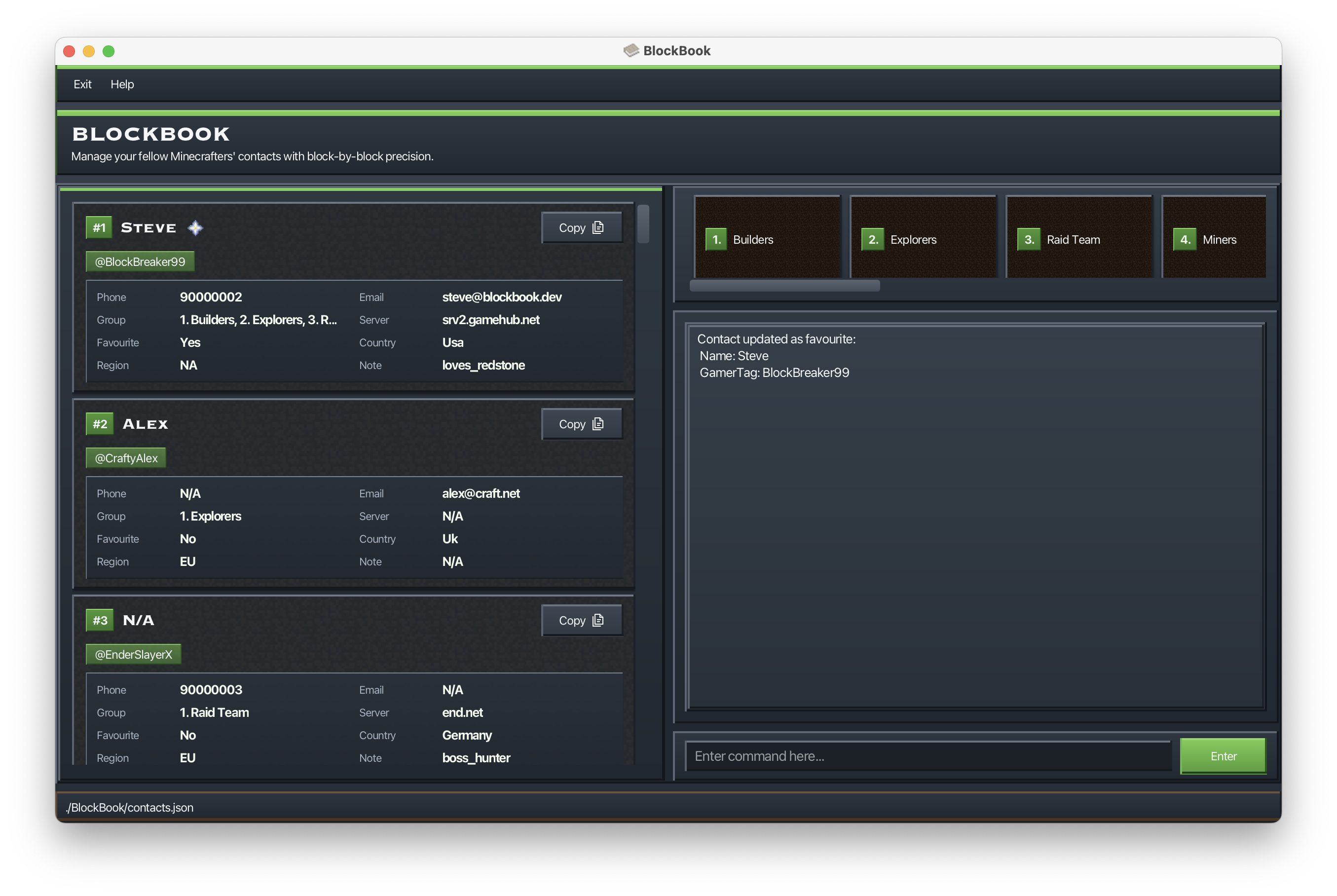
unfavourite 1Removes the first gamer from favourites.
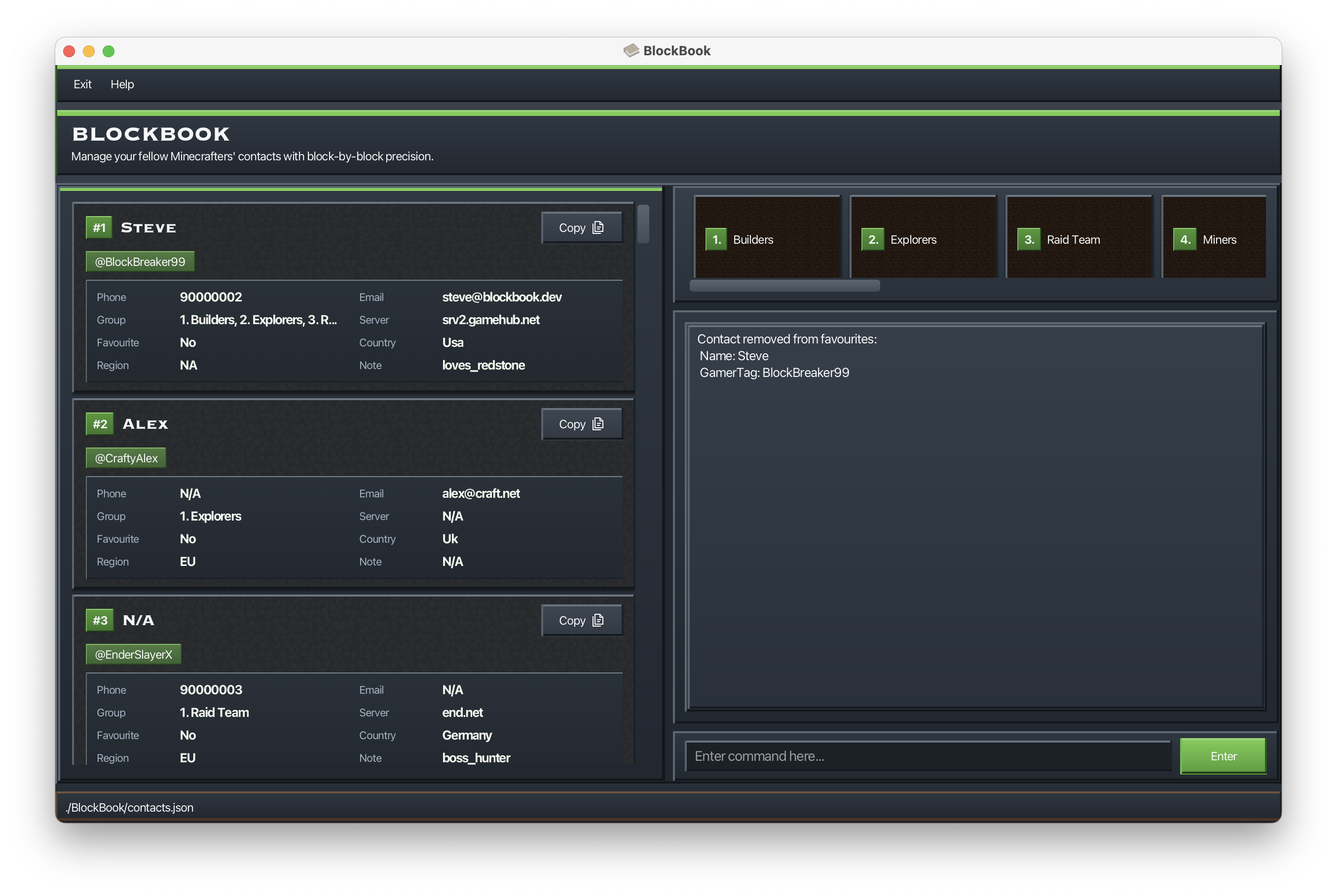
Tip: Use list first if you are unsure of the current index values.
Common errors you may encounter:
Invalid index The index must be a positive integer within the displayed list. Examples:
favourite 0,unfavourite -1,favourite 999Already favourite / already not favourite The command will fail if the contact is already in the requested state. Examples:
favourite 1when the contact is already a favourite,unfavourite 1when the contact is not a favourite.
Notes:
- This command only updates favourite status; it does not edit other fields.
- Star icon is shown next to the gamer name if the gamer is favourite.
Locating gamers: find
Finds gamers using either general keyword search or specific attribute prefixes. Has 2 formats.
Format 1: (f)ind KEYWORD
- The search is case-insensitive and uses partial (substring) matching.
- If you include spaces in
KEYWORD, the full phrase is matched as a single substring. - Each
findreplaces the current filter (it does not stack with previousfindresults). - A match is found if the keyword appears in any attribute (except favourite).
Format 2: (f)ind [(g)amertag/GAMERTAG] [(n)ame/NAME] [(p)hone/PHONE] [(e)mail/EMAIL] [(gr)oup/GROUP] [(s)erver/SERVER] [(fav)ourite/] [(c)ountry/COUNTRY] [(r)egion/REGION] [note/NOTE]
- Prefixes can be stacked in one command.
- Prefixes use the same short-form notation, e.g.
(n)ame/meansname/orn/. - When multiple prefixes are provided, a gamer must match all specified prefixes (AND).
- Each
findreplaces the current filter (it does not stack with previousfindresults). region/must use a full region value (e.g.,ASIA), not a partial substring. This is case-insensitive.
Examples:
find stevef n/steve g/stevemasterfind name/alex region/ASIA
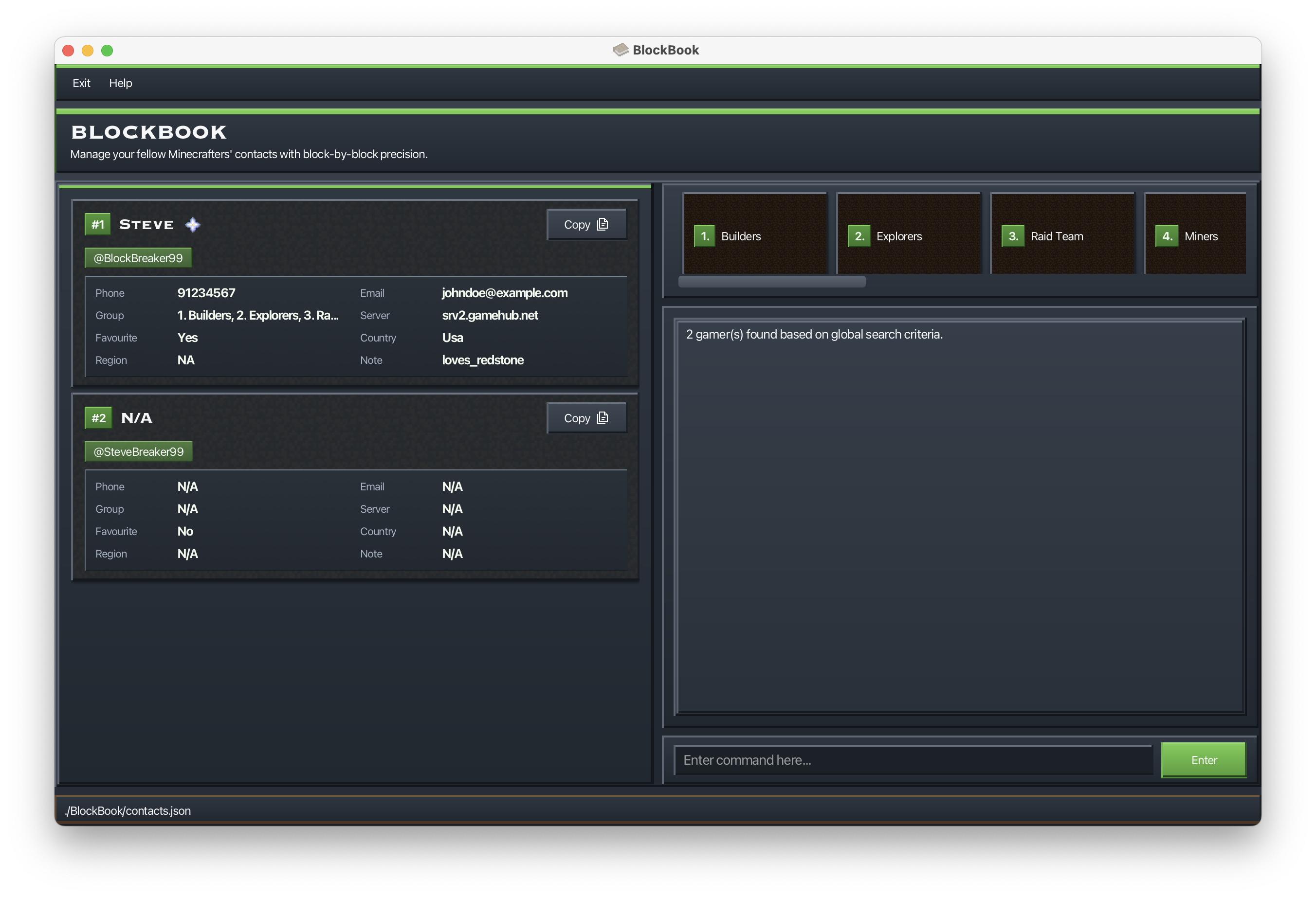
Viewing gamers full details: view
Shows the full details of a gamer based on the index shown in the current list.
Format: (v)iew INDEX
- The
INDEXrefers to the index number shown in the currently displayed list. - The index must be a positive integer.
Example:
view 2
Displays the full details of the 2nd gamer in the current list.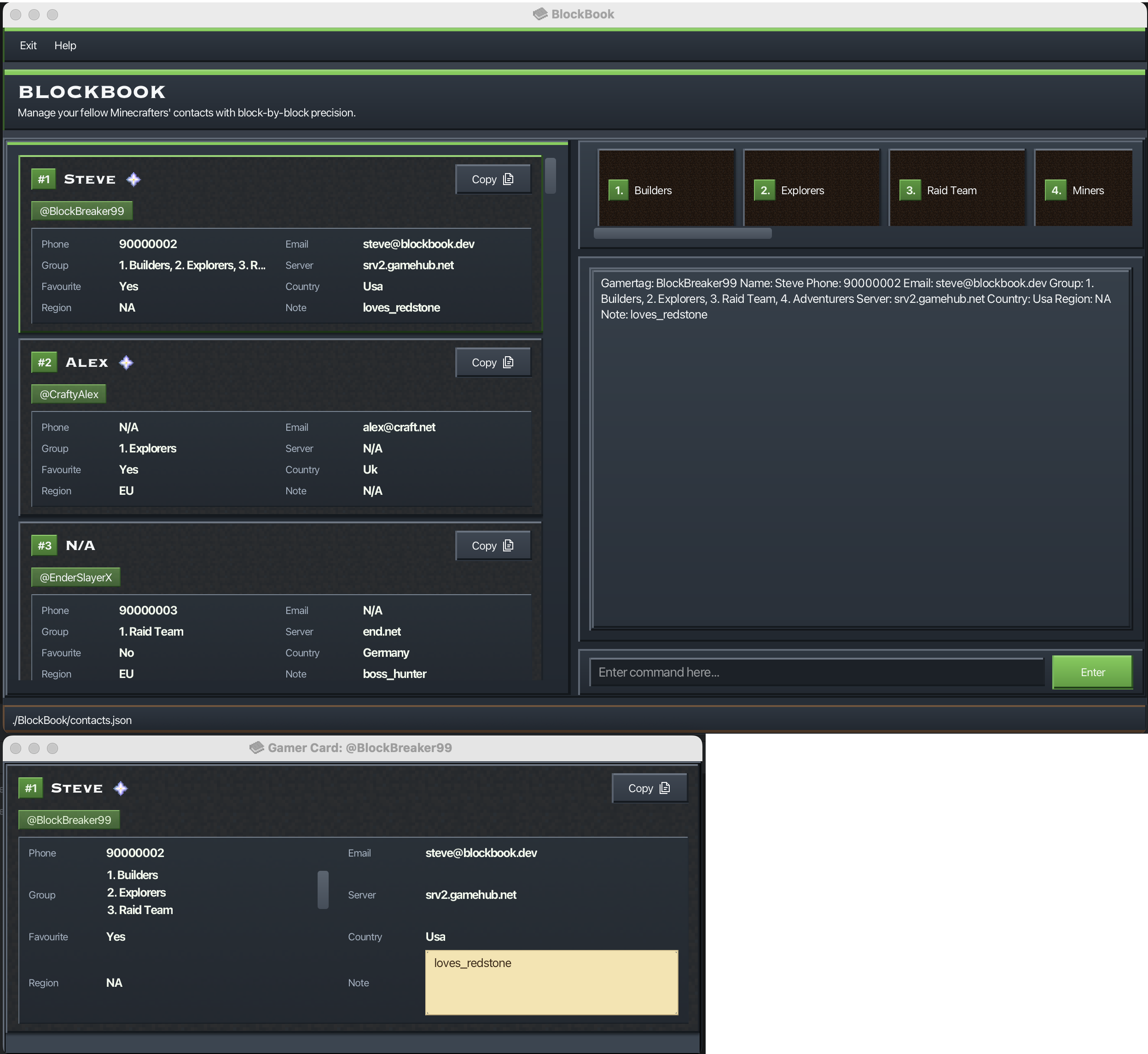
Sorting gamers : sort
Sorts gamers by one or more attributes.
Format: (s)ort [(g)amertag/] [(n)ame/] [(p)hone/] [(e)mail/] [(gr)oup/] [(s)erver/] [(fav)ourite/] [(c)ountry/] [(r)egion/] [note/]
- If no attributes are provided, gamers are sorted by gamertag by default.
- Attributes are applied in priority order from left to right (first attribute = primary sort key).
- Each attribute can only be specified once (e.g.,
g/andgamertag/count as the same attribute). - Attribute tokens are case-sensitive and must be lowercase (e.g.,
name/, notNAME/). - For optional attributes (
name,phone,email,group,server,country,region,note), gamers without that value appear after gamers with a value. favourite/places favourited gamers before non-favourited gamers.group/sorts by a gamer's full group set (group names are alphabetically ordered before comparison).- If a filter is active (e.g., after
find), the filtered results are shown in the active sort order. - Sorting is session-based and is not persisted to storage. A session lasts from when BlockBook is opened until it is closed. Closing the application (either via the
exitcommand or by closing the window) ends the session and discards the current sort order. When BlockBook is reopened, gamers are displayed in their original insertion order. listresets sorting within the current session and returns to insertion order.
Examples:
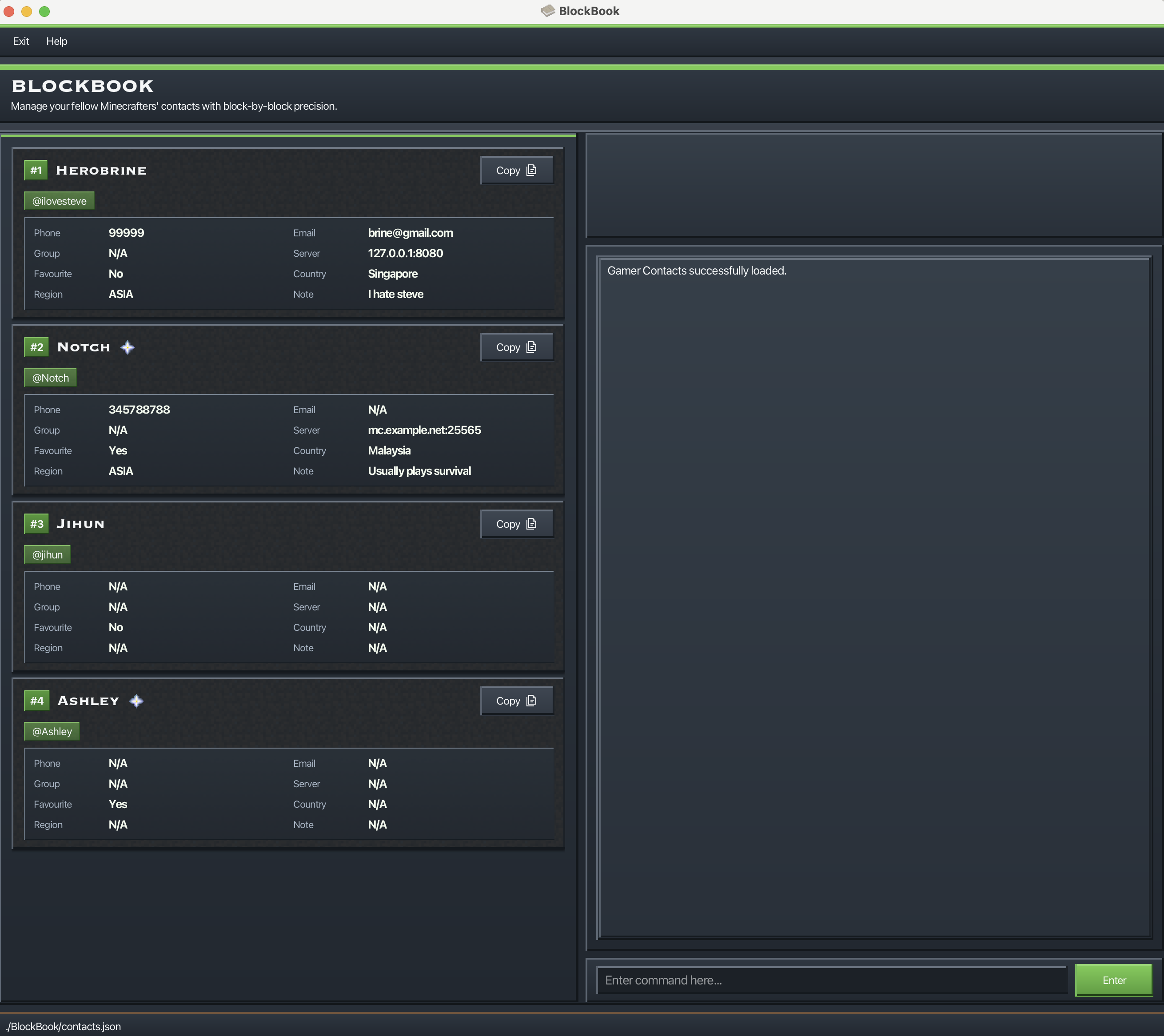
sortsorts gamers by gamertag (default).sort name/sorts gamers by name.s p/ g/sorts gamers by phone number, then by gamertag.sort favourite/ name/sorts favourites before non-favourites, then by name within each favourite-status group.
Before running sort favourite/ name/:
After running sort favourite/ name/:
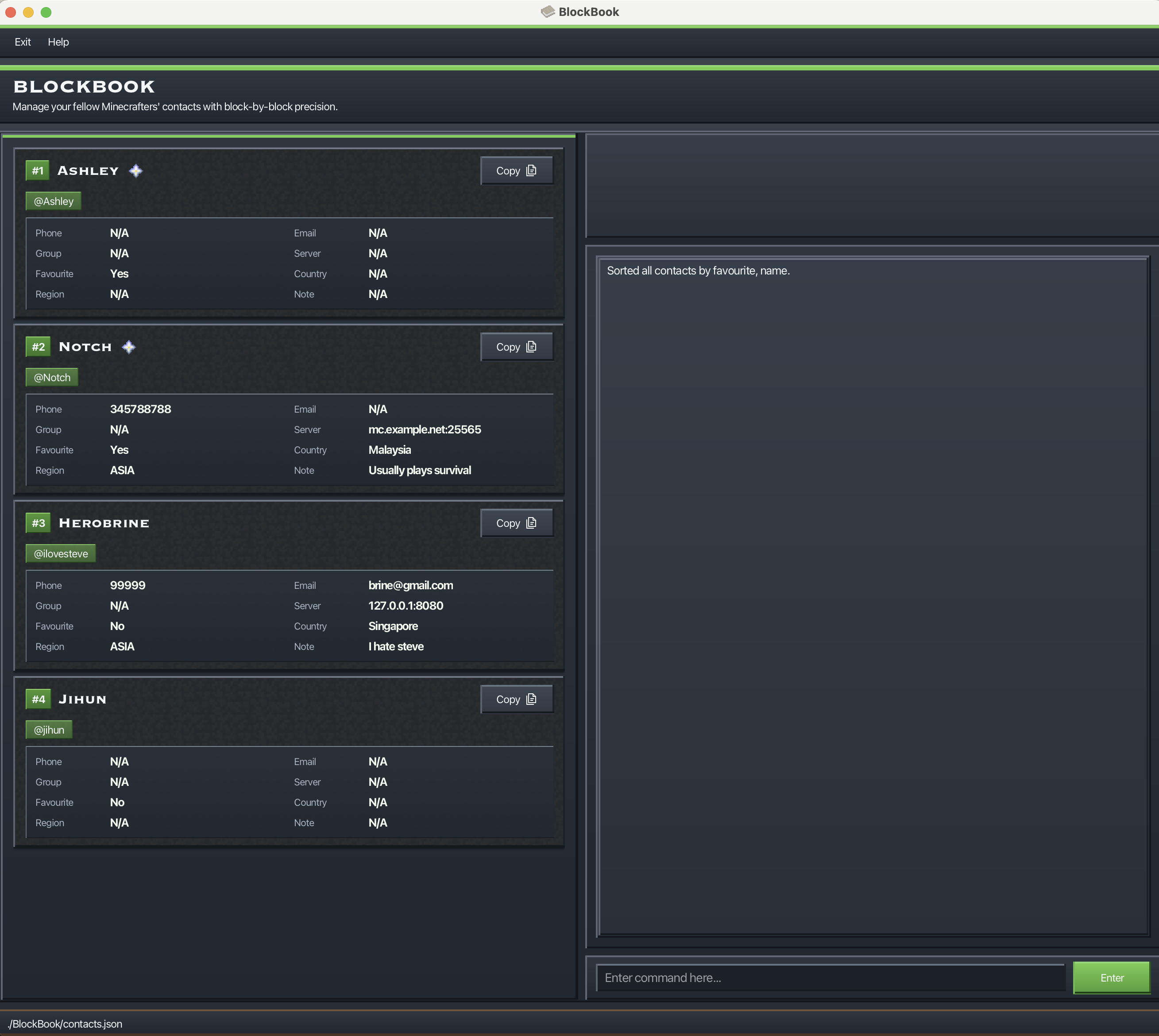
In the after screenshot, verify:
- Favourited gamers appear before non-favourited gamers.
- Names are sorted alphabetically (case-insensitive) within the favourited group.
- Names are sorted alphabetically (case-insensitive) within the non-favourited group.
Common errors you may encounter:
- Duplicate attributes
Each sort attribute can only be entered once. Short and long forms of the same attribute count as duplicates.
Example:
sort gamertag/ g/Error shown:Duplicate attribute detected: gamertag. Each attribute can only be specified once. - Invalid attribute name
Unsupported attributes are rejected.
Example:
sort rank/Error shown:Invalid attribute detected: rank. Please provide a valid sort attribute. - Multiple invalid attributes
If more than one invalid attribute is provided, all invalid attributes are reported together.
Example:
sort rank/ level/Error shown:Invalid attributes detected: rank, level. Please provide only valid sort attributes. - Invalid format
Every attribute token must end with
/. Example:sort nameError shown:Invalid command format!followed by the sort usage format. - No gamers to sort
sortcannot run when the gamer list is empty. Error shown:There are no contacts to sort!
Notes:
- You can mix long and short forms in one command. Example:
sort name/ p/. note/has no short alias.- For whole-list sorting after
find, runlist, then runsortagain.
Deleting a Gamer : delete
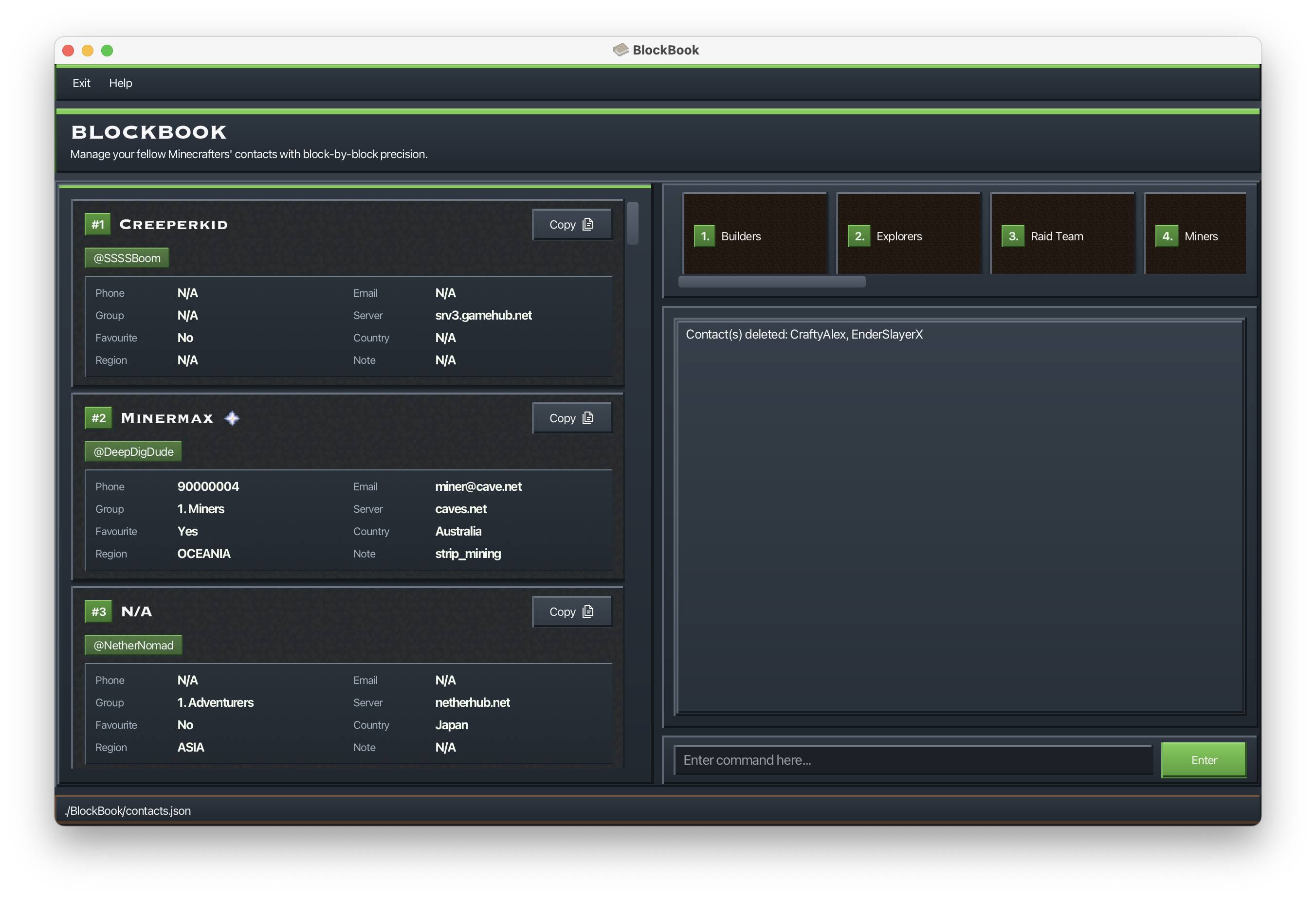
Deletes the specified gamers from BlockBook.
Format: (d)elete GAMER_INDEX [GAMER_INDEX]...
- Deletes the gamers at each specified
GAMER_INDEX. - Trying to delete the same index multiple times will only cause that index to be deleted once.
- The indexes refer to the index numbers shown in the displayed gamer list.
- The indexes do not have to be in any particular order. e.g.
delete 2 1is acceptable. - Each index must be a positive integer 1, 2, 3, ...
Examples:
listfollowed bydelete 2deletes the 2nd gamer shown in the list.find Betsyfollowed bydelete 1 2deletes the 1st and 2nd gamer in the results of thefindcommand.d 2 1deletes the 1st and 2nd gamer shown in the list.delete 1 2 2deletes only the 1st and 2nd gamers shown in the list. The 2nd gamer is only deleted once.
Clearing all entries : clear
Clears all entries from BlockBook.
Format: clear [CONFIRMATION_CODE]
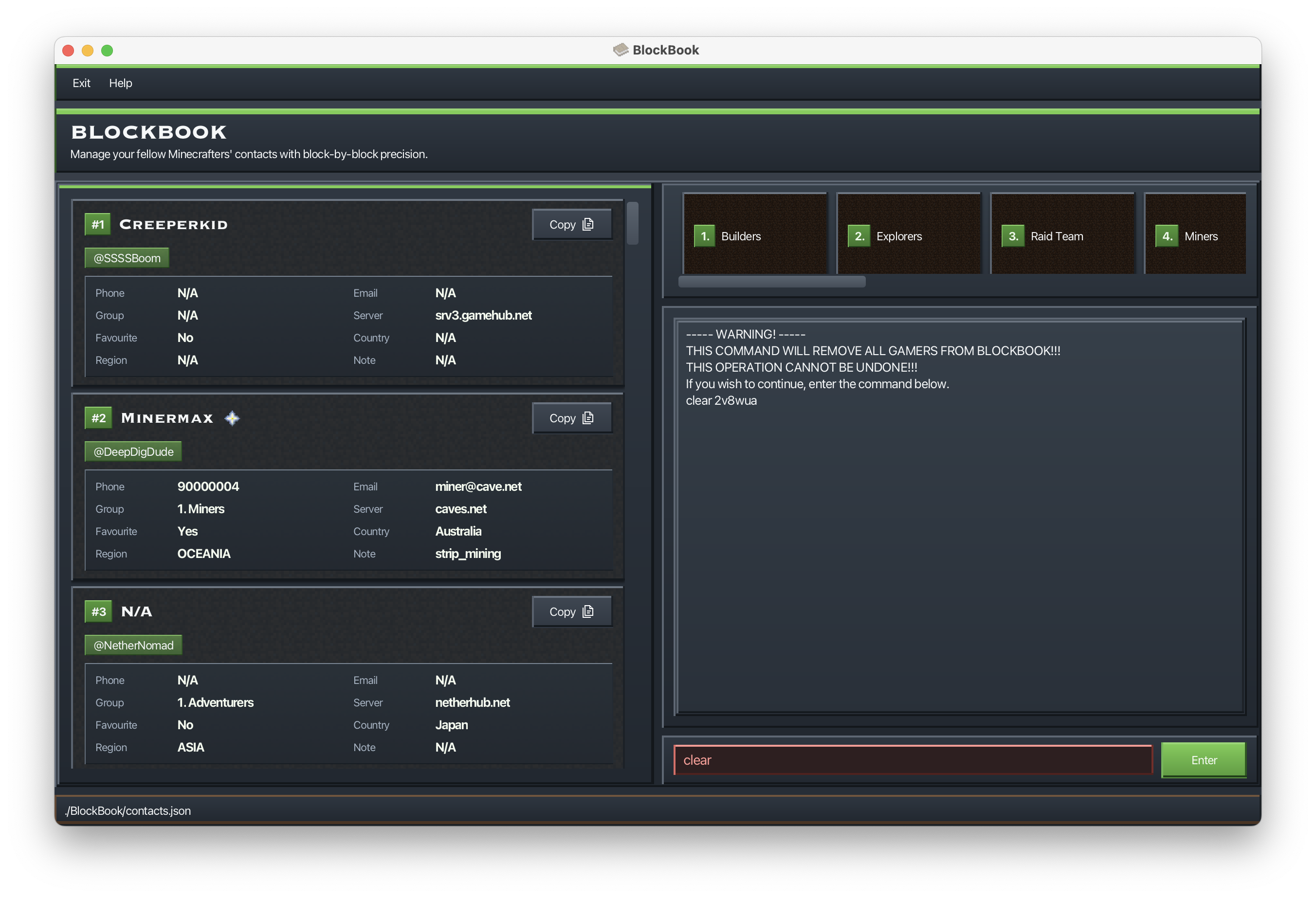
- Running
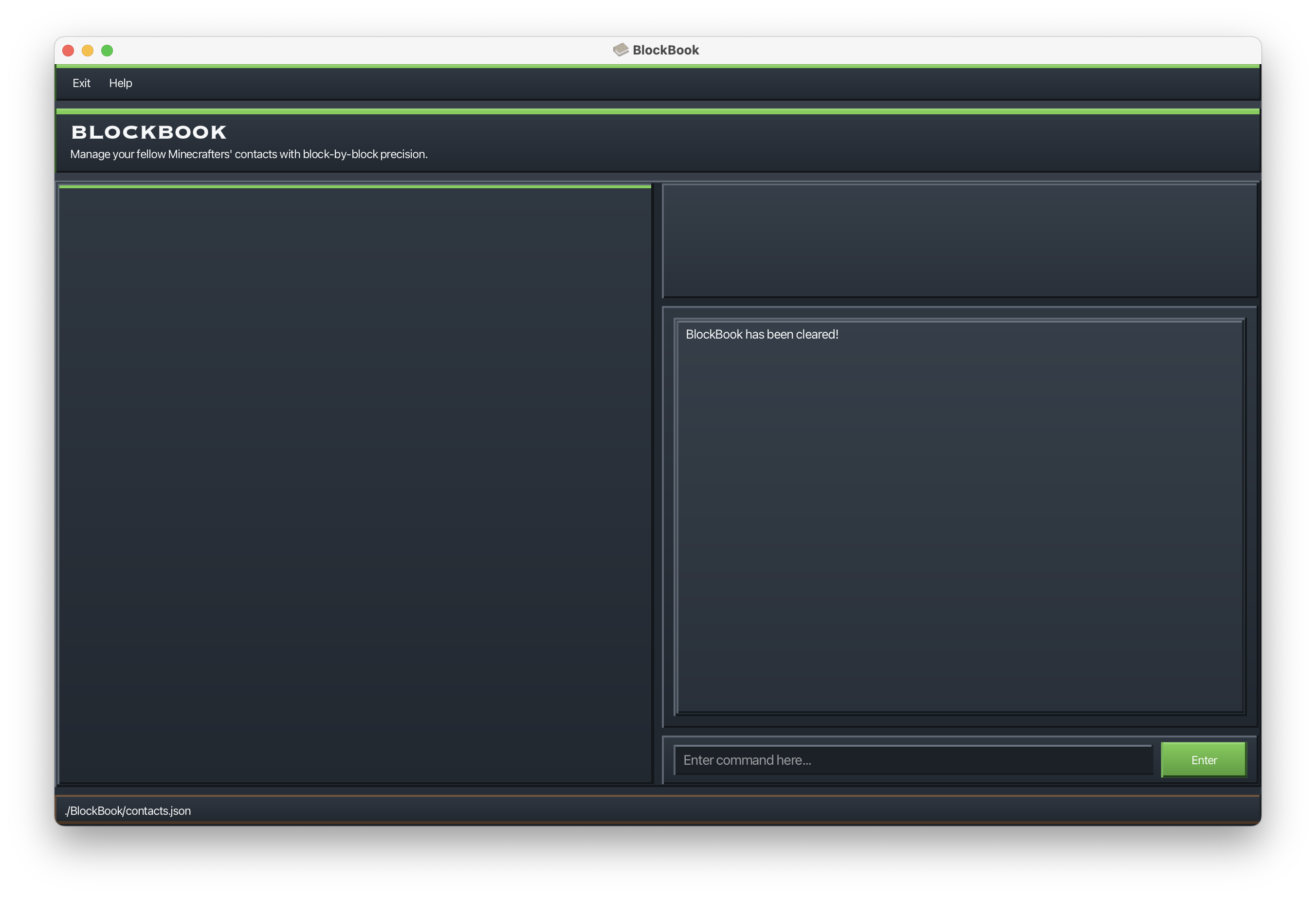
clearwithout a confirmation code will display a warning and a confirmation code. - To confirm, re-enter the command using the code shown (e.g.,
clear 2v8wua). - If you enter the wrong code, BlockBook will show a new confirmation code.
Examples:
clearshows a warning and a confirmation code (e.g.,clear 2v8wua).
clear 2v8wuaclears all entries if the confirmation code is 2v8wua.
Creating a group : groupcreate
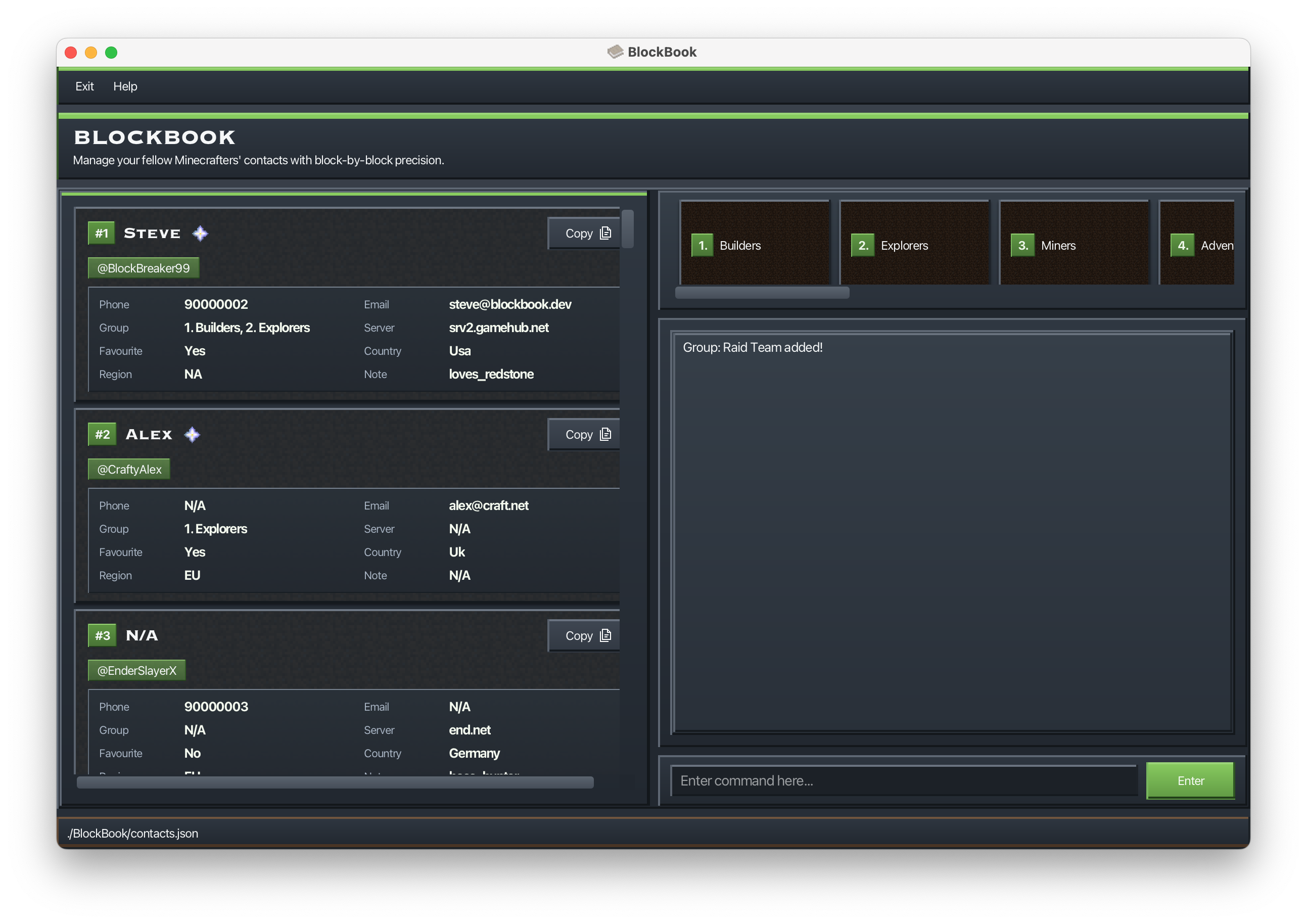
Creates a new group in BlockBook.
Format: groupcreate GROUP or gc GROUP
- Group names are case-insensitive and must be unique.
- Group names can contain only letters, spaces, hyphens, and apostrophes, and must be at most 50 characters.
Examples:
groupcreate Raid Teamgc Arena Team
Editing a group's name : groupedit
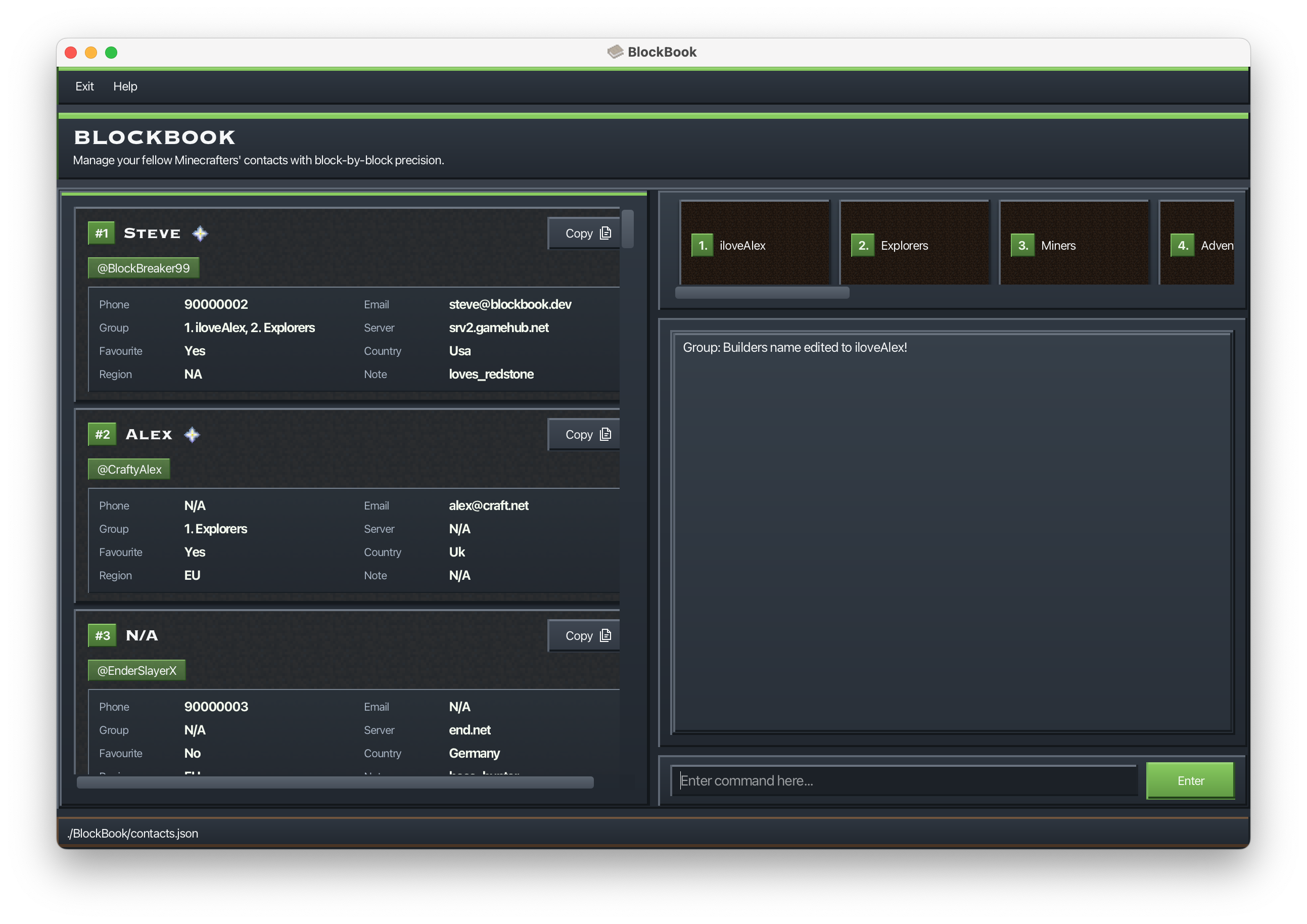
Renames an existing group by its index in the group list.
Format: groupedit BLOCKBOOK_GROUP_INDEX NEW_GROUP_NAME or ge BLOCKBOOK_GROUP_INDEX NEW_GROUP_NAME
- The
BLOCKBOOK_GROUP_INDEXrefers to the index shown in the group list. - The new group name follows the same constraints as group creation.
- Group names are unique case-insensitively across different groups, so only one instance of a group name can exist
- (e.g. if a group named
Raid Teamexists, another group cannot be namedraid team). - Changing the letter casing of the same group name (e.g.,
Raid Team→raid team) is allowed which is an exception to the rule above.
Examples:
groupedit 1 iloveAlexge 2 Arena Team
Deleting a group : groupnuke
Deletes a group from BlockBook and removes that group from all gamers associated to it.
Format: groupnuke BLOCKBOOK_GROUP_INDEX [CONFIRMATION_CODE] or gn BLOCKBOOK_GROUP_INDEX [CONFIRMATION_CODE]
- This is a destructive command and requires confirmation.
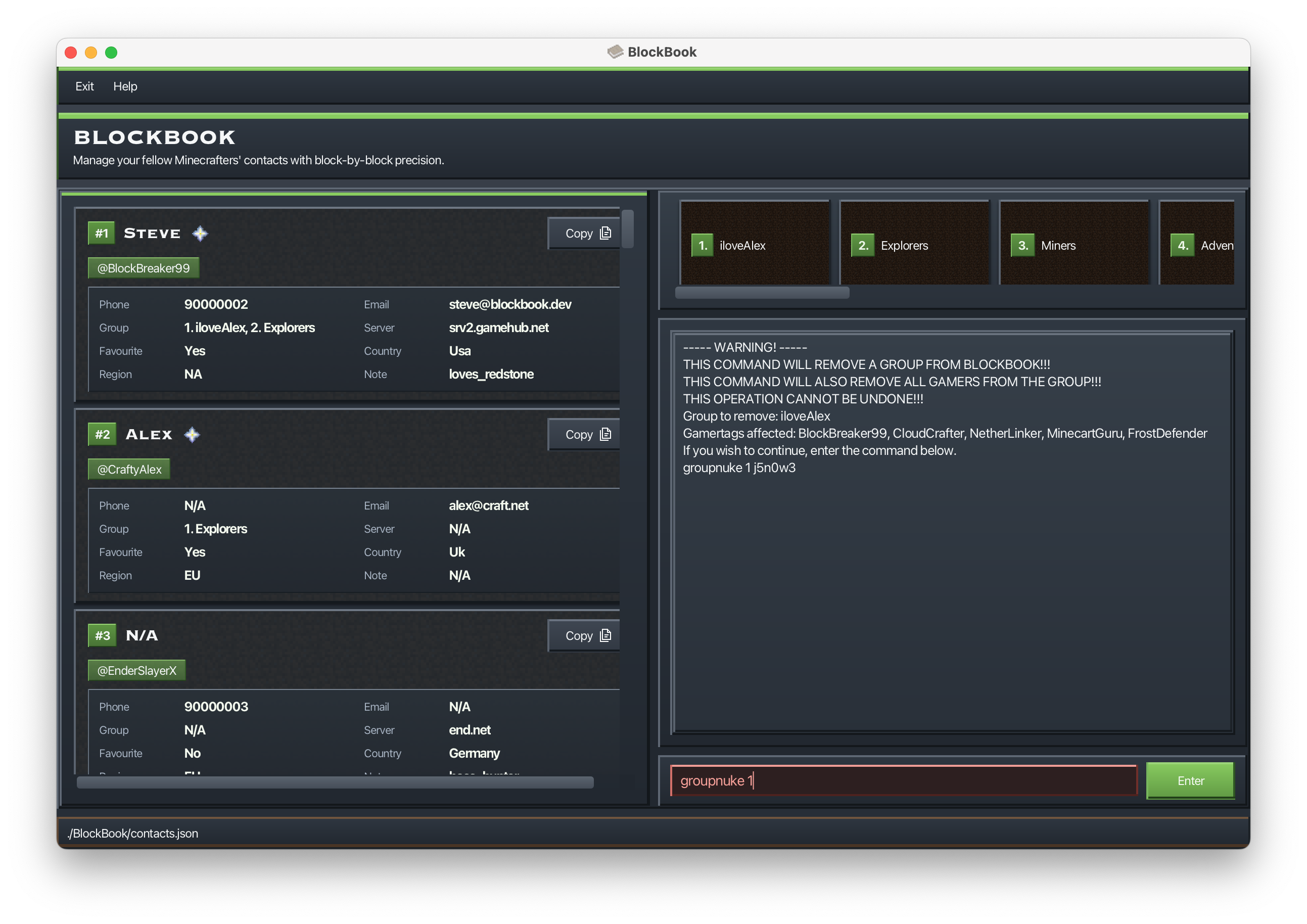
- BlockBook will show a warning message with a confirmation code and the affected gamertags.
- Re-run the command with the confirmation code appended to proceed.
- If you enter the wrong code, BlockBook will show a new confirmation code.
Example:
groupnuke 1BlockBook will prompt you with a confirmation code.
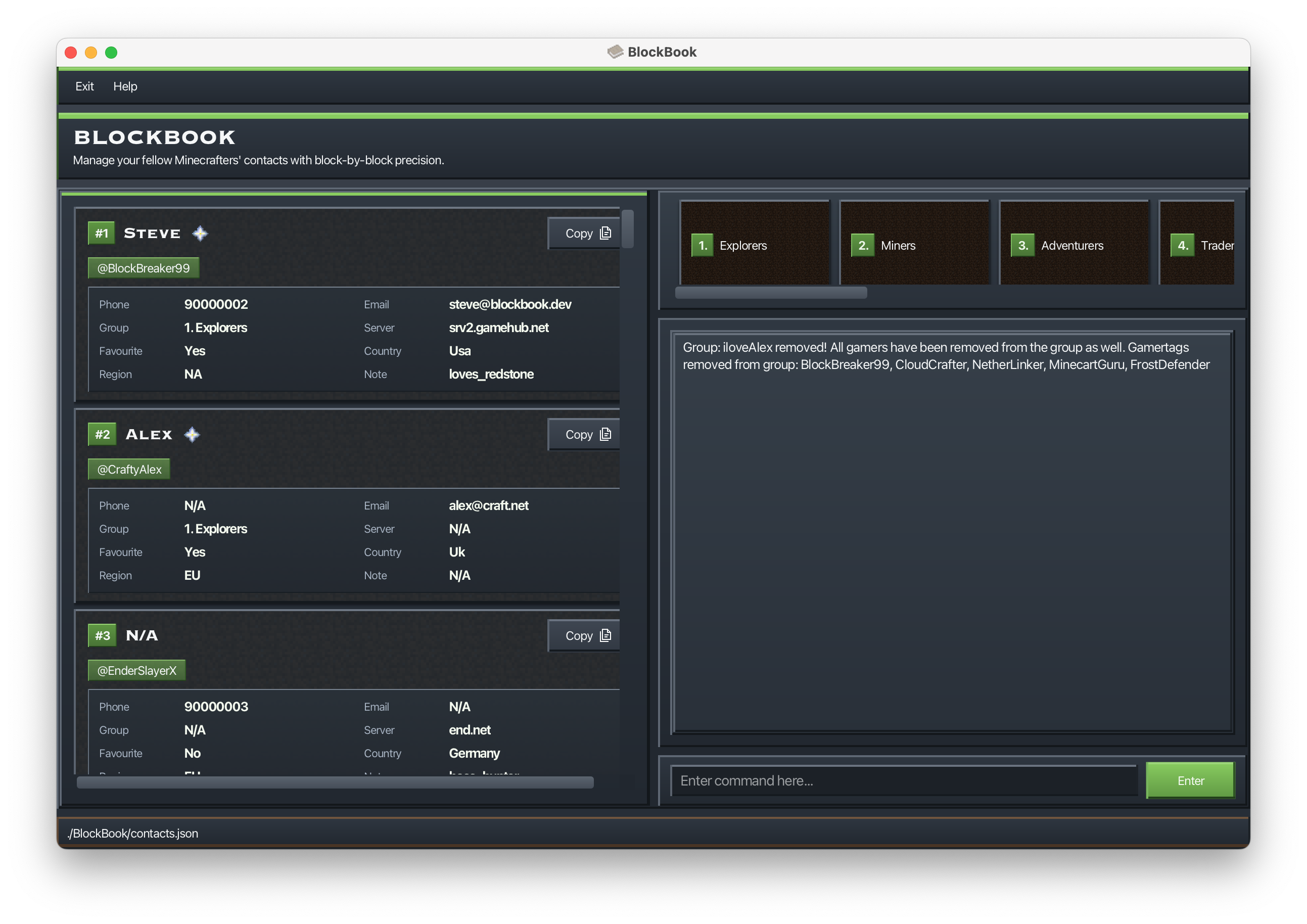
groupnuke 1 j5n0w3Deletes the group and removes it from all gamers.
Adding a gamer to a group : groupadd
Adds a specific gamer to a specific group in a single command, by providing the gamer’s index in the current list and the group’s index in the group list.
Format: groupadd GAMER_INDEX BLOCKBOOK_GROUP_INDEX or ga GAMER_INDEX BLOCKBOOK_GROUP_INDEX
GAMER_INDEXrefers to the index shown in the current gamer list.BLOCKBOOK_GROUP_INDEXrefers to the index shown in the group list.- If the gamer index is invalid, BlockBook will indicate the gamer index is out of bounds.
- If the group index is invalid, BlockBook will indicate the group index is out of bounds.
- If both indexes are non-positive (e.g.,
0 0), BlockBook will report both as invalid.
Example:
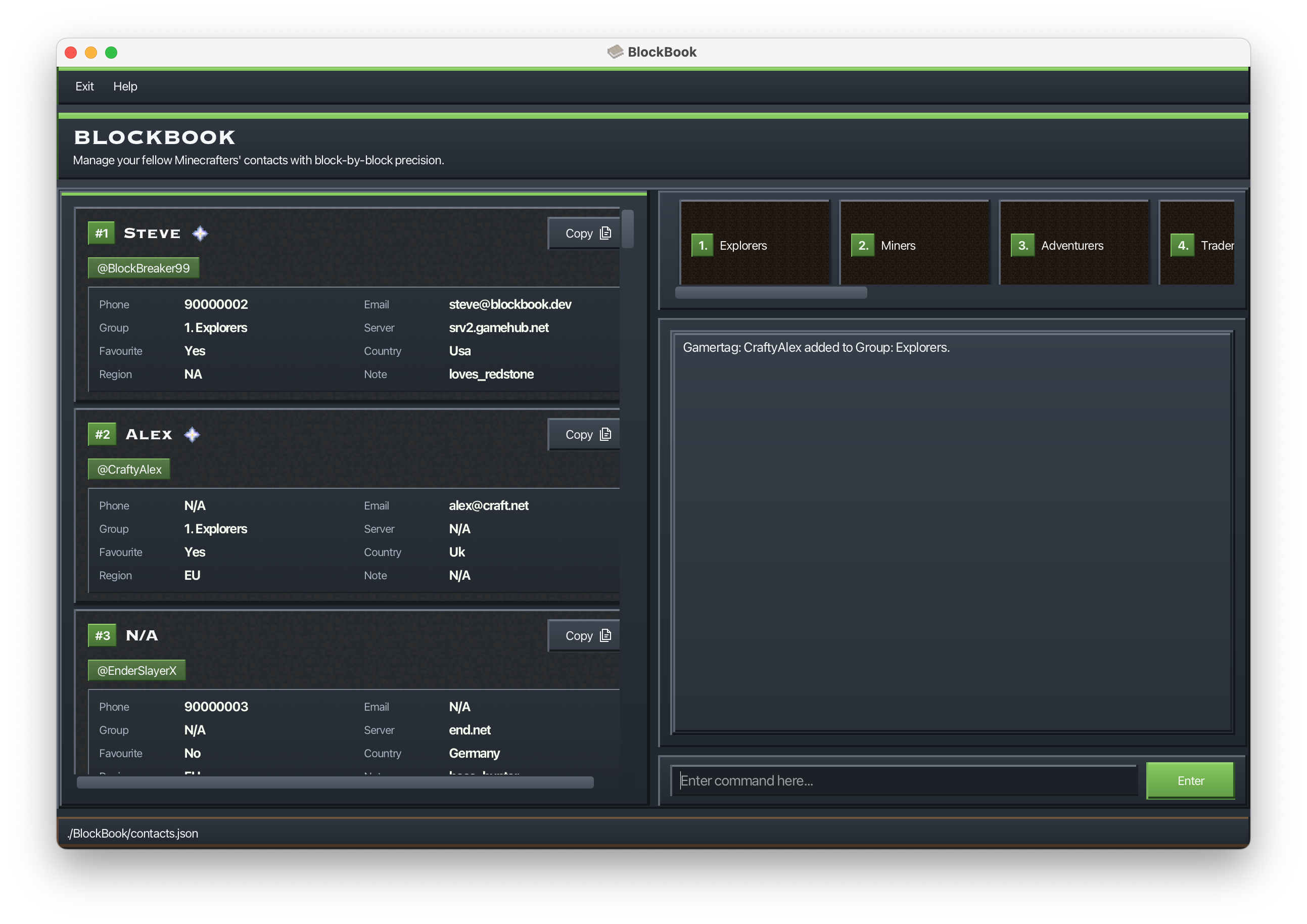
groupadd 2 1adds the 2nd gamer in the current list to the 1st group in the group list.
Removing a gamer from a group : groupremove
Removes a specific group from a specific gamer in a single command, by providing the gamer’s index in the current list and the group’s index in that gamer’s group list.
Format: groupremove GAMER_INDEX GAMER_GROUP_INDEX or gr GAMER_INDEX GAMER_GROUP_INDEX
GAMER_INDEXrefers to the index shown in the current gamer list.GAMER_GROUP_INDEXrefers to the index shown in that gamer’s group list (not the global group list).- If the gamer index is invalid, BlockBook will indicate the gamer index is out of bounds and will not validate the gamer’s group index.
- If the gamer’s group index is invalid, BlockBook will indicate the gamer’s group index is out of bounds.
- If both indexes are non-positive (e.g.,
0 0), BlockBook will report both as invalid.
Example:
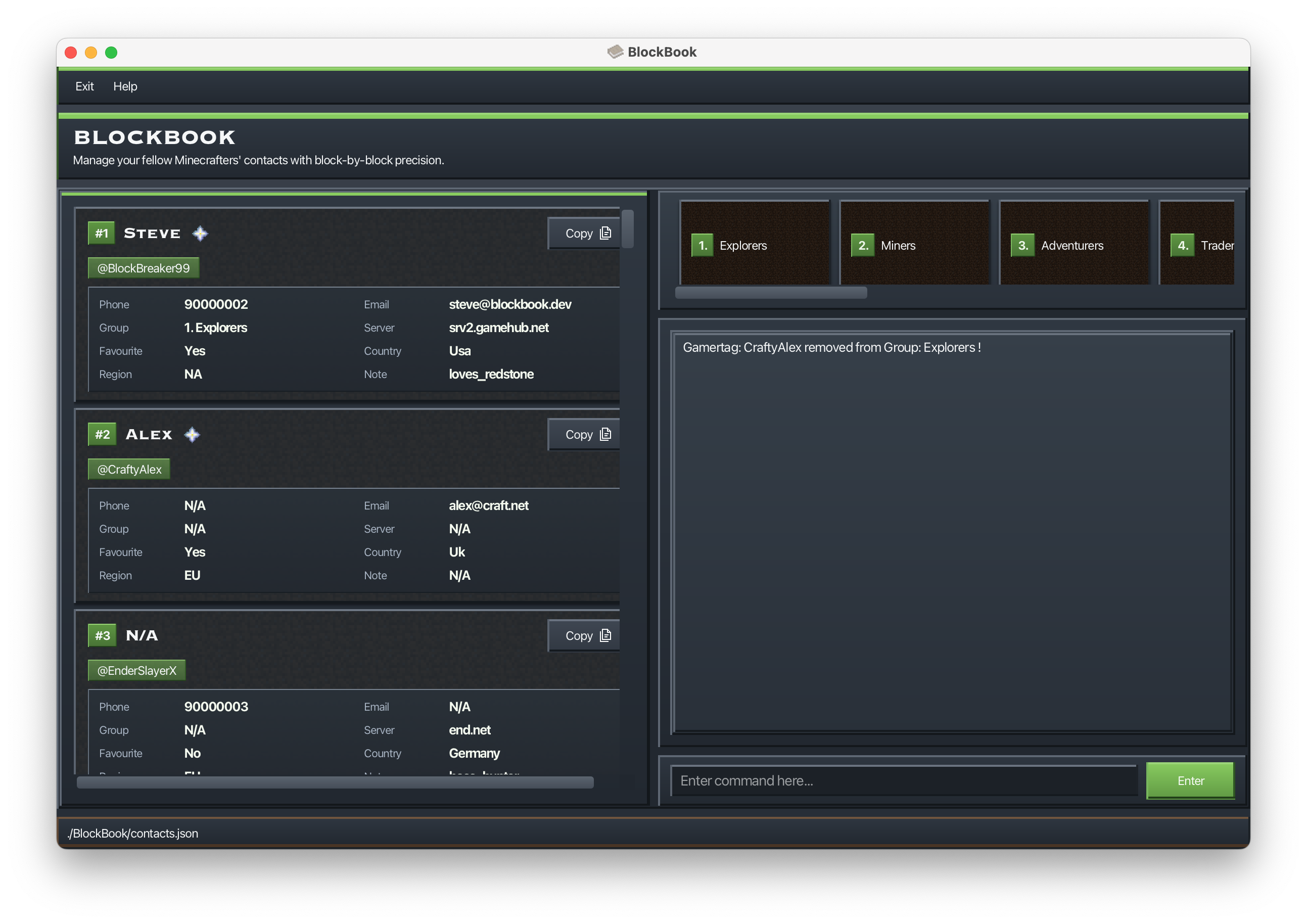
groupremove 2 1removes the 1st group from the 2nd gamer in the current list.
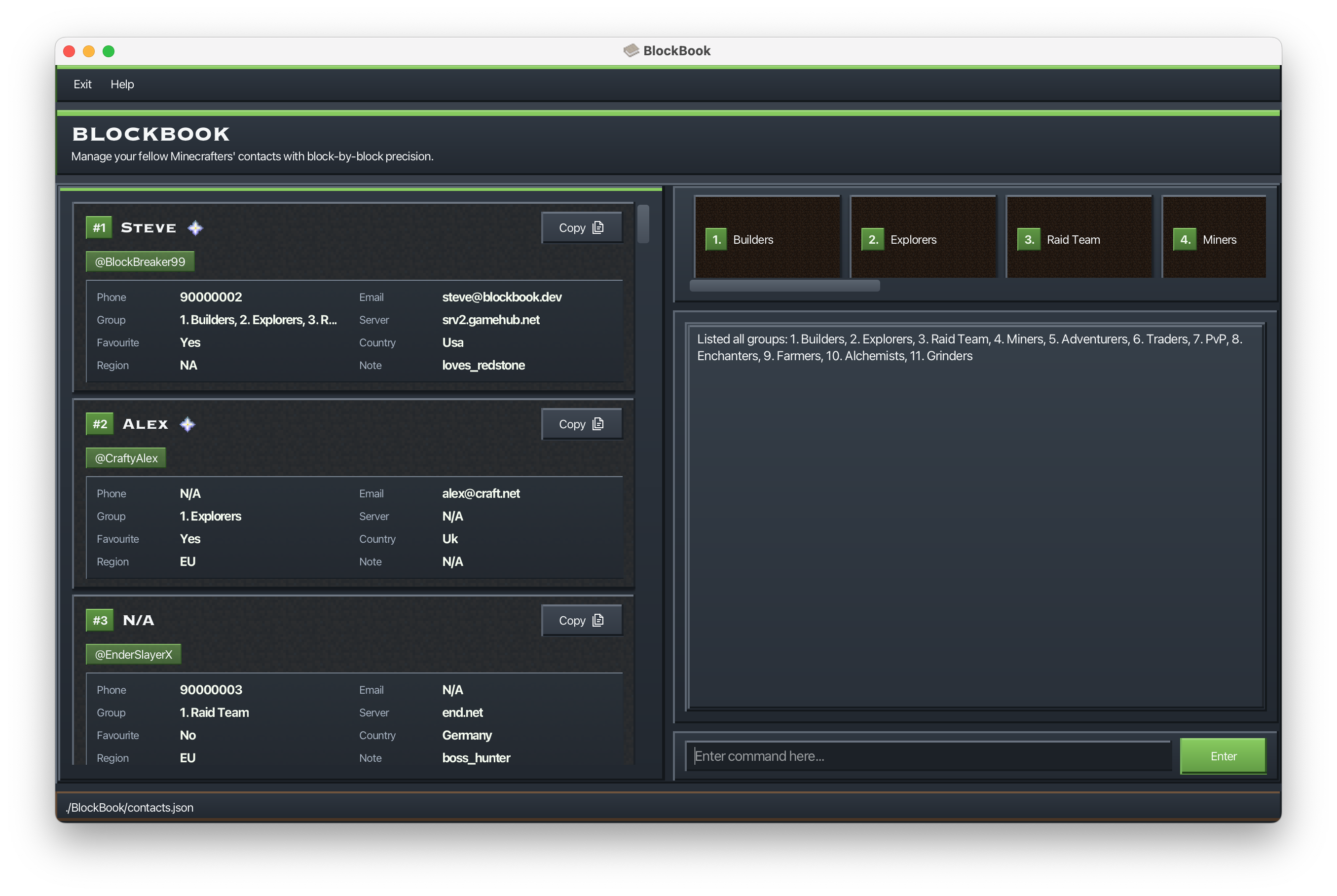
Listing all groups : grouplist
Lists all groups stored in BlockBook.
Format: grouplist or gl
- Groups are shown with their index (e.g.,
1. Explorers, 2. Raid Team). - If there are no groups, BlockBook will indicate that no groups were found.
Example:
grouplist
Viewing a group : groupview
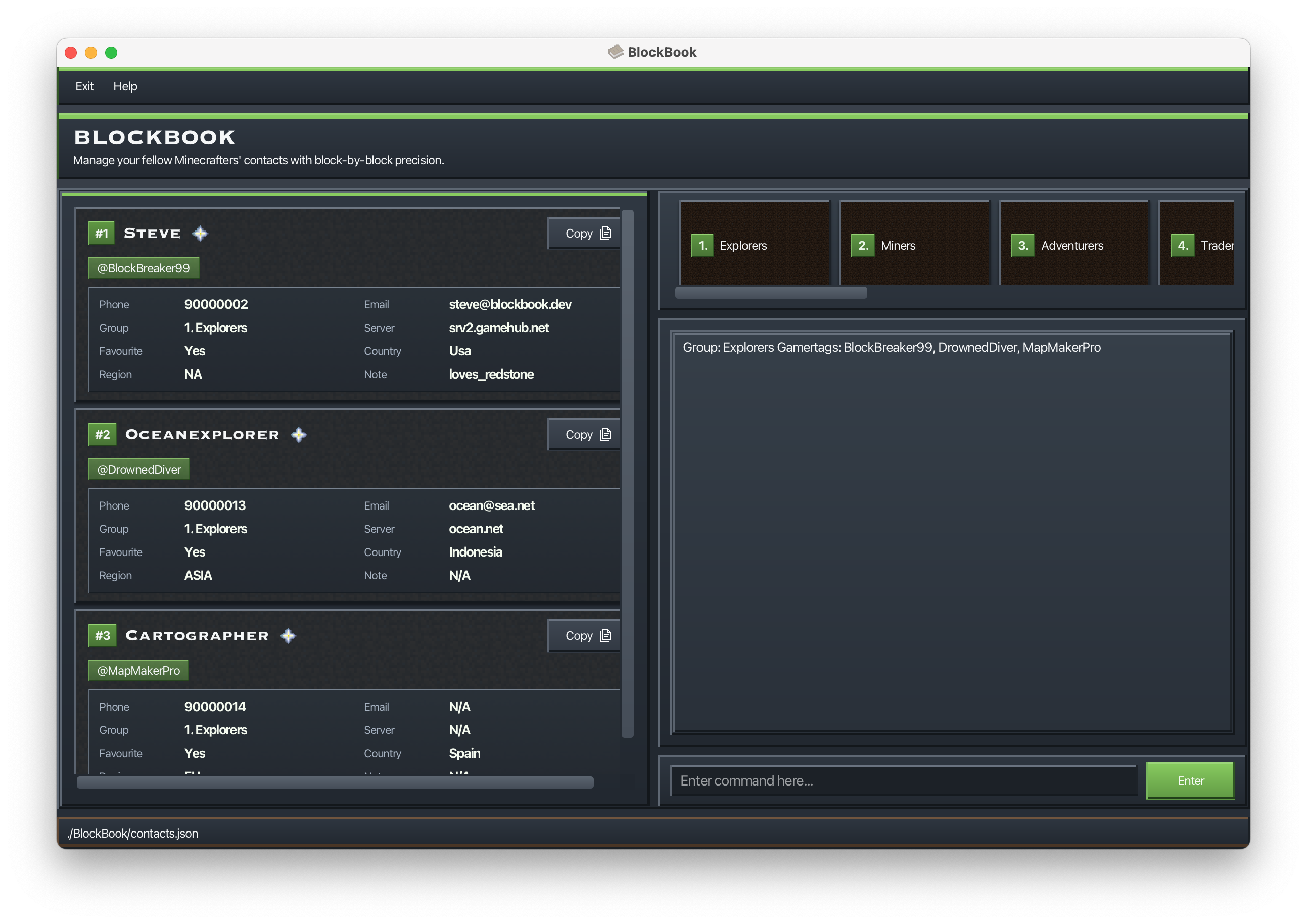
Shows all gamers that belong to a specific group, and filters the list to those gamers.
Format: groupview BLOCKBOOK_GROUP_INDEX or gv BLOCKBOOK_GROUP_INDEX
BLOCKBOOK_GROUP_INDEXrefers to the index shown in the group list.- The displayed gamer list is filtered to show only members of the selected group.
- If no gamers belong to the group, BlockBook will show a message and keep the current list unchanged.
Example:
groupview 1shows all gamers in the 1st group.
Exiting the program : exit
Exits the program.
Format: exit
Saving the data
BlockBook data is saved to primary storage automatically after any command that changes the data. There is no need to save manually.
Editing the data file
BlockBook data is saved automatically as a JSON file [JAR file location]/BlockBook/contacts.json. Advanced users are welcome to update data directly by editing that data file.
Caution:
If your changes to the data file makes its format invalid, BlockBook will discard all data and start with an empty data file at the next run. Hence, it is recommended to take a backup of the file before editing it.
Furthermore, certain edits can cause BlockBook to behave in unexpected ways (e.g., if a value entered is outside the acceptable range). Therefore, edit the data file only if you are confident that you can update it correctly.
FAQ
Q: How do I transfer my data to another Computer?
A: Install the app in the other computer and overwrite the empty data file it creates with the file that contains the data of your previous BlockBook home folder.
Known issues
- When using multiple screens, if you move the application to a secondary screen, and later switch to using only the primary screen, the GUI will open off-screen. The remedy is to delete the
preferences.jsonfile created by the application before running the application again.
Command summary
| Action | Format, Examples |
|---|---|
| Help | help, ?e.g., help |
| Add | (a)dd (g)amertag/GAMERTAG [(n)ame/NAME] [(p)hone/PHONE] [(e)mail/EMAIL] [(s)erver/SERVER] [(c)ountry/COUNTRY] [(r)egion/REGION] [note/NOTE]e.g., add g/JamieH n/James Ho |
| Edit | (e)dit GAMER_INDEX [(g)amertag/GAMERTAG] [(n)ame/NAME] [(p)hone/PHONE] [(e)mail/EMAIL] [(s)erver/SERVER] [(c)ountry/COUNTRY] [(r)egion/REGION] [note/NOTE]e.g., edit 2 n/James Lee |
| Favourite | (fav)ourite GAMER_INDEXe.g., favourite 1 |
| Unfavourite | (unfav)ourite GAMER_INDEXe.g., unfavourite 1 |
| List | (l)iste.g., list |
| View | (v)iew GAMER_INDEX e.g., view 2 |
| Sort | (s)ort [(g)amertag/] [(n)ame/] [(p)hone/] [(e)mail/] [(gr)oup/] [(s)erver/] [(fav)ourite/] [(c)ountry/] [(r)egion/] [note/]e.g., sort, sort n/, sort p/ g/ |
| Find | (f)ind KEYWORDe.g., find James(f)ind [(g)amertag/GAMERTAG] [(n)ame/NAME] [(p)hone/PHONE] [(e)mail/EMAIL] [(gr)oup/GROUP] [(s)erver/SERVER] [(fav)ourite/] [(c)ountry/COUNTRY] [(r)egion/REGION] [note/NOTE]e.g., find n/Steve g/Block |
| Group Create | groupcreate GROUP, gc GROUPe.g., gc Raid Team |
| Group List | grouplist, gle.g., grouplist |
| Group Edit | groupedit BLOCKBOOK_GROUP_INDEX NEW_GROUP_NAME, ge BLOCKBOOK_GROUP_INDEX NEW_GROUP_NAMEe.g., ge 1 Arena Team |
| Group Add | groupadd GAMER_INDEX BLOCKBOOK_GROUP_INDEX, ga GAMER_INDEX BLOCKBOOK_GROUP_INDEXe.g., ga 2 1 |
| Group View | groupview BLOCKBOOK_GROUP_INDEX, gv BLOCKBOOK_GROUP_INDEXe.g., gv 1 |
| Group Delete | groupnuke BLOCKBOOK_GROUP_INDEX [CONFIRMATION_CODE], gn BLOCKBOOK_GROUP_INDEX [CONFIRMATION_CODE]e.g., gn 1 abc123 |
| Group Remove | groupremove GAMER_INDEX GAMER_GROUP_INDEX, gr GAMER_INDEX GAMER_GROUP_INDEXe.g., gr 2 1 |
| Delete | (d)elete GAMER_INDEX [GAMER_INDEX]...e.g., delete 3, delete 2 5 |
| Clear | clear [CONFIRMATION_CODE]e.g., clear, clear 2v8wua |
| Exit | exit |